DimmerLink (I2C mode)
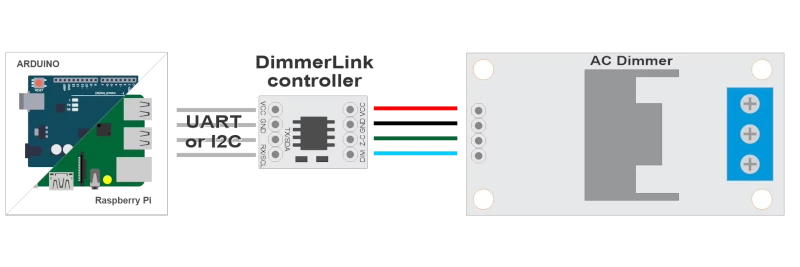
By default the DimmerLink comes in UART mode. You need to switch to I2C first!! Read carefully about how to connect, especially voltage!!
Only 1-channel devices are supported!
Information
Stop fighting with dimmer libraries. DimmerLink is a tiny plug-and-play controller that handles all the complex TRIAC timing for you. Just send simple commands over UART or I2C — the DimmerLink controller does the rest.
Every maker knows the pain: you integrate an AC dimmer library into your project, and suddenly your lights flicker, your timing breaks, and you spend hours debugging interrupt conflicts. The DimmerLink eliminates this entirely by offloading all timing-critical operations to a dedicated Cortex-M+ micro controller.
Works with
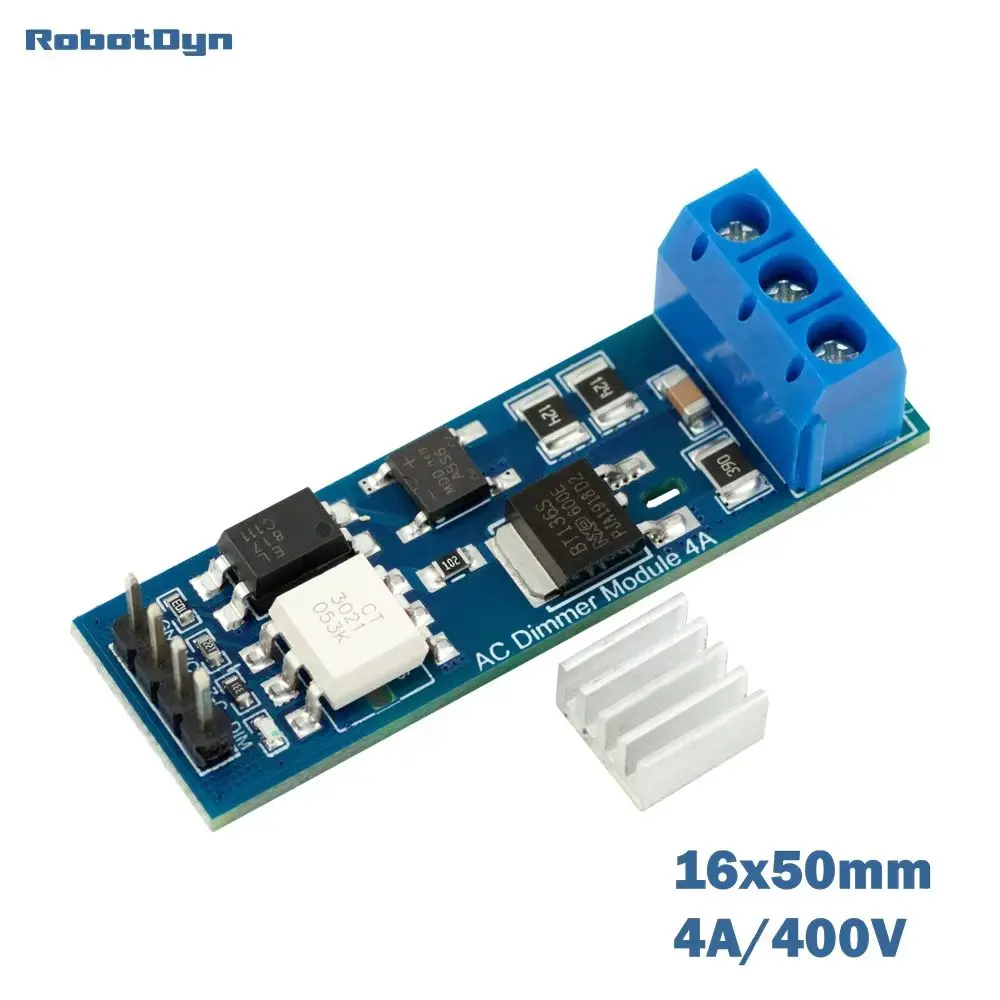
You can also now buy the AC Dimmer with the DimmerLink module directly built in it. Select the ‘DimmerLink(UART/I2C)’ interface when ordering. This saves you an extra DimmerLink module. Which makes this a pretty cheap, small and simple AC mains dimmer to use.
Make it work with TerrariumPI
In order to make the device to communicate with TerrariumPI a few steps needs to be done. This is a one time action. \ Configure the DimmerLink device to I2C mode.
1 For this you need some extra hardware
- USB-UART adapter (CP2102, CH340, FT232, or similar)
- Jumper wires
2 Connect the device. The USB-UART adapter can be put in the Raspberry PI USB connection.
- !! Only use the data wires from the USB-UART adapter. Do not use the VCC and Ground of the USB-UART adapter !! This can break your DimmerLink device.
- Connect the VCC and Ground through your Raspberry PI. Make sure you use 3.3 Volt VCC pin.
3 Run the following command in the terminal in the Raspberry PI
1
2
3
4
5
6
7
8

python3 -c "
import serial
s = serial.Serial('/dev/ttyUSB0', 115200, timeout=1)
s.write(bytes([0x02, 0x5B]))
resp = s.read(1)
print('Response:', resp.hex() if resp else 'none')
s.close()
"
And when this is done, switch the data wires at point 2.1 and run the command above once more. To make sure the command is send to the device correctly. As it is often unclear which color wire is what. So by swapping and running the above command twice, it will mostly work.
4 Disconnect the device from the USB-UART adapter and connect to the I2C bus
- Run the command
sudo i2cdetect -y 1to see a value of 50. If this is not the case, repeat from step 2.
5 Change I2C address. This is optional, but when you want to use multiple DimmerLink AC dimmers, you can change the address with the command:
1
2

# Change address to 0x51
i2cset -y 1 0x50 0x30 0x51
Key features
- Zero flickering - hardware-based timing, immune to software delays
- Universal interface - UART (115200 baud) or I2C (address 0x50)
- Wide voltage range - works with 1.8V, 3.3V, and 5V logic levels
- Ultra-compact - only 18×12mm, fits anywhere
- Multiple dimming curves - Linear, RMS, Logarithmic
- Auto frequency detection - works with 50Hz and 60Hz mains
Setup
In order to use the DimmerLink (I2C mode) use the following settings:
Mandatory
- Hardware
- DimmerLink (I2C mode)
- Address
- <relay_number>,<I2C Address>,[I2C Bus] where the I2C bus is optional
Ex:1,0x50
Other settings can be found at the relay setup information